
Getting started
Library
Components
Integrations
File info & editing
When selecting an item from the Media Library, the file info panel appears. This panel contains the most important information about the selected media item. Depending on the driver, there is also the ability to edit meta data relating to the image.
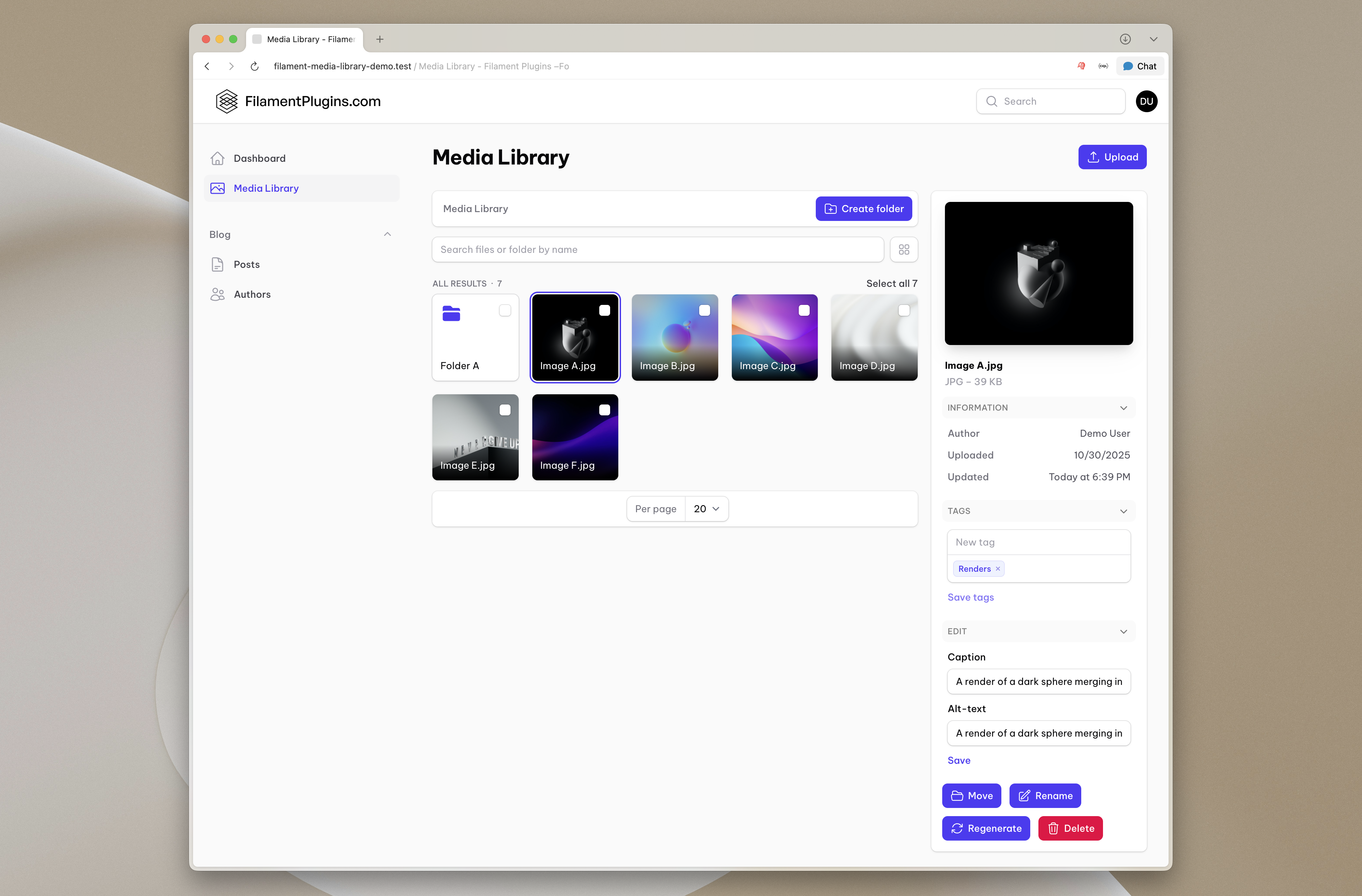
Custom information
You can add or modify the information shown in the file info panel using ->fileInfoInformationUsing() on the driver. The callback receives the default components array and the current file:
use RalphJSmit\Filament\Explore\Data\FileData;

$driver->fileInfoInformationUsing(function (array $components, FileData $file) {
    $components['Dimensions'] = $file->getSize() . ' bytes';

    return $components;
})
The default components include the uploader, creation date, and last modified date. Your callback can add new entries as key-value pairs, modify existing ones, or remove them by unsetting keys.
Tags
If you have spatie/laravel-tags installed, the file info panel automatically shows a tags input for adding or removing tags from the selected media item. See Spatie Tags for configuration details, including how to scope which tags are available.
File info edit
The File info panel also allows you to edit metadata relating to the selected media item. For the MediaLibraryItemDriver, this includes an automatically provided edit form for editing the media item's caption and alt-text.
To define a custom file info edit form, follow the steps below:
Components
First, you need to define the components that will be used in the file info edit form. You can do this by using the ->fileInfoEditComponents() method on the driver. The rest of the steps will refer to FileData without repeating the import — pick the one that matches your driver:
use RalphJSmit\Filament\MediaLibrary\Drivers\MediaLibraryItemDriver\FileData;

$driver
    ->fileInfoEditComponents([
        TextInput::make('sku')
            ->label('SKU')
            ->rules(['string', 'max:255']),
    ])
use RalphJSmit\Filament\MediaLibrary\Drivers\SpatieMediaLibraryDriver\Data\FileData;
$driver
->fileInfoEditComponents([
TextInput::make('sku')
->label('SKU')
->rules(['string', 'max:255']),
])use RalphJSmit\Filament\Explore\Drivers\FilesystemStorageDriver\FileData;
$driver
->fileInfoEditComponents([
TextInput::make('sku')
->label('SKU')
->rules(['string', 'max:255']),
])Hydrating the form
Next, you need to hydrate the form with the existing data for the file. You can do this by using the ->hydrateFileInfoEditUsing() method on the driver:
$driver
    ->hydrateFileInfoEditUsing(function (FileData $file) {
        $mediaLibraryItem = $file->getSource();

        return [
            'sku' => $mediaLibraryItem->sku,
        ];
    })
$driver
->hydrateFileInfoEditUsing(function (FileData $file) {
$media = $file->getSource();
return [
'sku' => $media->getCustomProperty('sku'),
];
})$driver
->hydrateFileInfoEditUsing(function (FileData $file) {
$meta = FileMeta::query()
->where('disk', $file->getDiskName())
->where('path', $file->getPrimaryKey())
->first();
return [
'sku' => $meta?->sku,
];
})Saving the form
Finally, you need to save the submitted form data back to the file. You can do this by using the ->saveFileInfoEditUsing() method on the driver:
$driver
    ->saveFileInfoEditUsing(function (FileData $file, array $data) {
        $mediaLibraryItem = $file->getSource();

        $mediaLibraryItem->update([
            'sku' => $data['sku'],
        ]);
    })
$driver
->saveFileInfoEditUsing(function (FileData $file, array $data) {
$media = $file->getSource();
$media
->setCustomProperty('sku', $data['sku'])
->save();
})$driver
->saveFileInfoEditUsing(function (FileData $file, array $data) {
FileMeta::query()->updateOrCreate(
[
'disk' => $file->getDiskName(),
'path' => $file->getPrimaryKey(),
],
[
'sku' => $data['sku'],
],
);
})This way, the provided captions show up in the file info edit form and they will be hydrated and saved correctly.